
YouTube Name Generator: Unique Channel Names in Any Niche or Style
Quick Answer: This YouTube name generator turns your name or a keyword into a batch of styled channel names, choose a niche like Gaming, Vlogging, or Tech Reviews, add a font or symbol, then check availability directly on YouTube. It’s free, runs in your browser, and needs no signup.
▶️ YOUTUBE CHANNEL NAME GENERATOR
100+ Languages, Vlogs & Gaming Themes, 300+ Symbols, Custom Icon Uploader & Real-Time Generator
CUSTOMIZE CHANNEL NAME
Click to add symbol:
Naming a YouTube channel is a bigger decision than most people treat it as. It’s the first thing viewers see in search results and the name your subscribers will type in every time they come back. I built this generator so that decision doesn’t come down to whatever’s left over after an hour of typing random combinations.
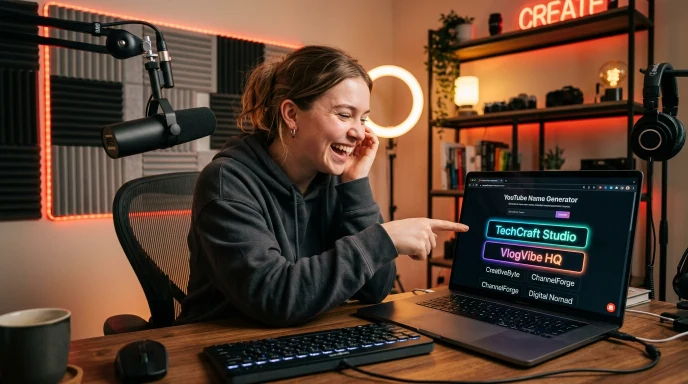
How to Use Our YouTube Channel Name Generator to Build a Unique Brand
If you are looking for a unique youtube channel name generator that caters to actual content algorithms, follow these 5 simple steps:
Step 1:
Add Your Name or Keyword Type your name, niche, or any word into the Primary Keyword field. Add an optional prefix and a suffix or tag if you want your channel name built around a specific structure, like “The” or a closing word like “Studio” or “Hub.”
Step 2:
Pick a Channel Niche This generator includes YouTube-specific categories built around actual content types, Gaming & Esports, Daily Vlogs & Lifestyle, Tech & Reviews, Shorts Viral Creator, Faceless & Cashcow, Educational & Facts, and ASMR & Relaxation, plus general categories like Comedy, Music, Fitness, Foodie, Travel, Animation, and Podcast. If none of them fit, leave the category on standard and generate from a plain base name instead.
Step 3:
Choose a Script, Font, and Symbol Beyond a standard font, you can style your channel name using a different script entirely, Japanese, Korean, Arabic, Urdu, Russian, Hindi, Chinese, Greek, and more, or apply a math-bold or small-caps font style. Add a symbol on top if you want extra flair, or upload your own custom avatar image to attach to your favorite results.
Step 4:
Set Length and Generate Use the length filter to keep results in YouTube’s easy-to-read range, then hit generate. A random idea button is also available if you’d rather start from a surprise base word.
Step 5:
Check, Save, and Export Tap “Check” on any result to open that name’s actual YouTube channel URL so you can confirm it yourself. Like or save favorites to come back to later, edit any result directly, and download your full batch as a CSV file to compare with a partner or team.
The Technology Behind It
This generator runs entirely in your browser. There’s no server processing your input and no account required, so your channel name ideas are never uploaded or logged anywhere outside your own device. Saved and liked names are stored locally in your browser.
Under the hood, it pairs your input with pattern-based word banks tied to each niche category, then runs the result through whichever font, script, and symbol options you’ve selected. A generation meter tracks your activity as you go, the same style of usage indicator used across every generator on this site, so you always have a sense of where you stand without needing an account.
For availability, the “Check” button doesn’t guess. It opens the actual YouTube channel URL for your chosen name, so you see the same result you’d get checking manually, just faster.
Core Benefits & Advantages
- Genuinely private. Nothing you type leaves your browser.
- Instant results. No page reloads, results update as you type.
- YouTube-specific niches. Not just generic naming, categories built around Gaming, Vlogs, Tech Reviews, Shorts, and more.
- Multi-script support. Style your channel name in multiple scripts and languages, not just English fonts.
- Custom avatar upload. Attach your own image to a favorite result.
- One-tap availability check. Opens the real YouTube channel page so you can confirm it yourself.
- CSV export. Download your shortlist to compare later or share with a co-creator.
- No signup required.

YouTube Channel Name Ideas by Style
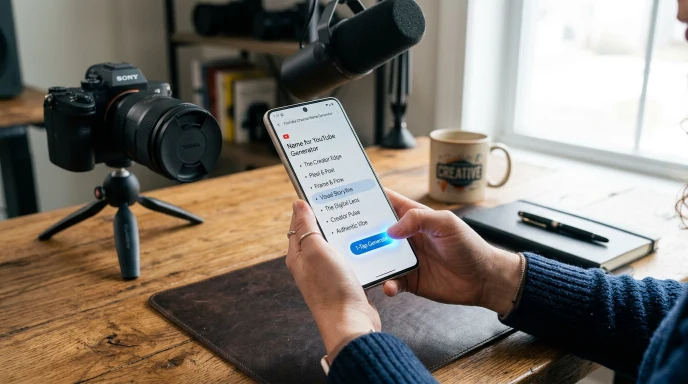
Different niches tend to favor different structures. Gaming and Shorts-focused channels usually do well with short, punchy names built around action words. Vlog and lifestyle channels lean toward warmer, more personal-feeling names, often built around a first name. Tech and educational channels tend to favor words like “Lab,” “Academy,” or “Reviews” paired with the subject area, since it signals authority before a viewer even clicks.
Feature Comparison
| Feature | This Generator | Other Online Tools | Manual Brainstorming |
|---|---|---|---|
| Speed | Instant | Varies, often server delay | Slow |
| Data Privacy | 100% browser-side, nothing stored | Often sent to a server | N/A |
| YouTube-Specific Niches | Yes, 7 platform-built categories | Rare | N/A |
| Script/Language Options | Multiple scripts | Rare | N/A |
| Custom Avatar Upload | Yes | Rare | N/A |
| Availability Check | Built-in, opens real channel page | Rare | Manual search |
| CSV Export | Yes | Rare | N/A |
| Cost | Free | Varies | Free |

YouTube @Handle vs Channel Name: What You Need to Know
When launching a new channel, it is crucial to understand the difference between your display name and your handle:
YouTube Channel Name: The public title of your channel (e.g., “Tech Reviews Lab”). Multiple creators can share the same channel name.
YouTube
@Handle: Your unique platform identifier (e.g.,@TechReviewsLab). Handles must be 100% unique and form your official channel URL ([youtube.com/@yourhandle](https://youtube.com/@yourhandle)).Best Strategy: Pick a memorable channel name from our youtube name generator, then immediately claim the matching
@handleinside your YouTube Studio account to protect your brand identity.
YouTube Name Structures by Content Category
| Content Niche | Ideal Niche Structure | Strategy & Tone | Example Output Style |
| Gaming & Esports | Punchy + Action Word | Energetic, short, easy to repeat | PixelPounceHQ |
| Tech & Reviews | Topic + Authority Noun | Professional, trustworthy, searchable | TechMatrixLab |
| Vlog & Lifestyle | First Name + Aesthetic Mood | Warm, personal, relatable | VlogWithAria |
| Faceless / Cashcow | Broad Category + Power Word | High-CTR, brandable, commercial | DailyFactVault |
| Shorts / Viral | Short Single Word + Verb | Fast-paced, high retention focus | SnapFlicks |
Real-World Scenarios
Scenario A: A gaming channel just starting out. You type your name, pick “Gaming & Esports,” and get back options built around energy and personality rather than a plain word plus numbers.
Scenario B: An educational or tutorial channel. You choose “Educational & Facts,” and land on names that signal authority and clarity, which tends to read better in search results.
Scenario C: A channel that wants a distinct visual identity. You keep your base word in English but apply a script style, an Urdu or Japanese-inspired transformation, for example, so the name looks unique while staying readable to viewers who already know you.

The Ultimate Success Checklist
- Picked a niche category that actually matches your content type
- Tried at least one script or font variation if the plain version felt generic
- Kept the name short enough to read easily in search results and Shorts
- Checked your top 2-3 favorites directly on YouTube before deciding
- Confirmed the same or a close variation is available on TikTok and Instagram too
- Said the name out loud to make sure it's easy to repeat and spell


Expert Pro-Tips for Best Results
- Start with the niche, not the word. Picking your category first usually produces a stronger, more on-brand result.
- Avoid adding the current year to your name. It dates your channel permanently and ages badly.
- Keep it short enough for Shorts and mobile. Long names get cut off in search results and comment mentions.
- Always confirm on the real platform. A generated name isn’t guaranteed available until you check it directly.
Common Questions, Answered
How do I pick my YouTube name?
Start with your niche and personality, then combine a specific word from your content type with a short, clean structure. Testing a few style categories in the generator usually surfaces options you wouldn’t think of manually.
What is a good YouTube name?
A good YouTube name is short, easy to say out loud, and signals your content type without locking you into one narrow topic forever.
What is a creative YouTube name?
Creative names usually pair an unexpected word with your niche rather than a generic word plus numbers, think “PixelPounceHQ” for gaming rather than “Gamer123.”
What is a catchy name for a YouTube channel?
Catchy names are short, memorable, and easy to spell after hearing them once, avoiding numbers or symbols that could be misread when spoken aloud.
Is a YouTube channel name unique automatically?
No. Unlike YouTube handles, channel names are not guaranteed unique, so it’s worth checking existing channels with a similar name before committing.
What are good names for my YouTube channel if I make gaming content?
Gaming names work best when they combine a gamer-style word with something short and action-oriented, avoiding overly long or hard-to-type combinations.
Final Thoughts: Lock In Your Ideal YouTube Channel Name Today
Your YouTube name is often the first thing a potential subscriber reads, so it’s worth more than five minutes of thought. Pick your niche, try a script or symbol if you want something visually distinct, generate a batch, and check your favorite directly on YouTube before you commit. If you’re building your presence on other platforms too, the instagram name generator and tiktok username generator on Name Idea Lab work the same way, and you can browse every social media name generator on Name Idea Lab’s main hub.
Disclaimer:
The names generated by this tool are for creative and informational purposes only. Always verify availability directly on YouTube before finalizing your channel name.
What the Name Idea Lab Community Says
Average Rating: 4.9/5 based on our beta users