
Signature Ideas Generator: Create a Signature That's Truly Yours
Quick answer: This free signature ideas generator gives you instant signature designs pulled from 125+ style categories, no AI guesswork involved. Type your name to generate styled options, draw your own on the canvas pad, or upload a handwritten reference and let the tool extract the text automatically. Download in PNG, JPG, WEBP, or SVG, all without signing up.
✨ Signature Generator For My Name
💾 Your Saved Signature Collection
Finding a signature that actually feels like “you” is harder than it sounds. Most people either default to a rushed scribble or spend way too long trying to make something fancy that doesn’t even look like their name anymore. This tool skips both problems, it gives you a large batch of real, distinct signature styles built around your actual name, so you can pick one that fits instead of forcing one to work.
My Personal Experience With the Signature Tool
This is also based on my personal experience. When I turned 18, I faced a problem. In our country, when someone turns 18, they need to get an ID card.
My name is Waseem, as you already know. At that time, I wanted to create a unique signature based on my name, but I had no idea how to make one. I searched online for ideas, but I could not find anything that helped me.
Then I thought that other people would also face the same problem when they turn 18. That is why I started working on this idea and created a tool based on the problem I personally faced, so other people would not have to face the same problem.
Try the tool and let me know how you find it.
Why I Create Tools From My Experience
Whenever I share an experience, there is always a reason behind it. I am not adding anything randomly. I build a tool based on each experience I have had.
Even today, if I face a problem in my life and cannot find the right solution, I try to create a tool for it and make it live. My goal is that when another user faces the same problem and uses the tool, they do not have to face the same difficulty I faced.
How to Use This Signature Ideas Generator
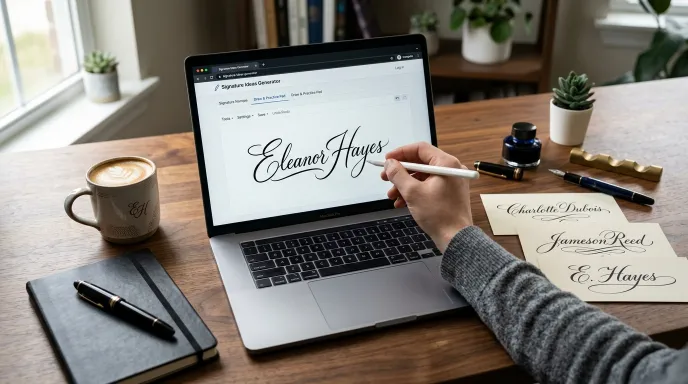
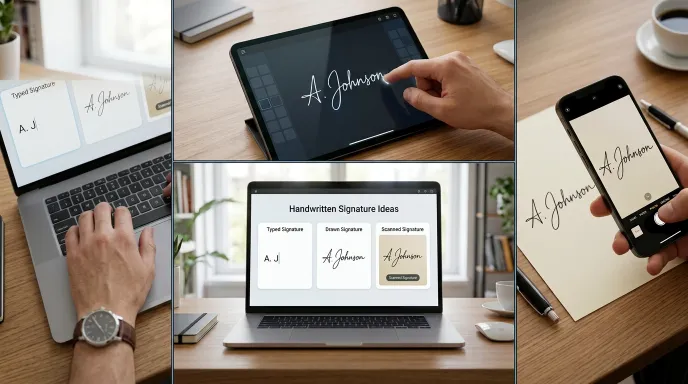
Creating a distinct, professional signature using our signature generator for my name is simple. Choose from three flexible creation modes:
Method 1: Type Your Name and Generate
Enter your full name, choose a naming style category (or leave it on “All Styles” for maximum variety), set a complexity level, and pick a quantity. Hit generate and you’ll get a batch of styled signature cards instantly, each in a different calligraphy font and layout.
Method 2: Draw It Yourself
Switch to the Draw & Practice Pad tab and sign directly on the canvas using your mouse, trackpad, or finger on a touchscreen. Adjust brush size and color as you go, then save your drawn signature alongside a batch of matching style suggestions.
Method 3: Upload a Reference
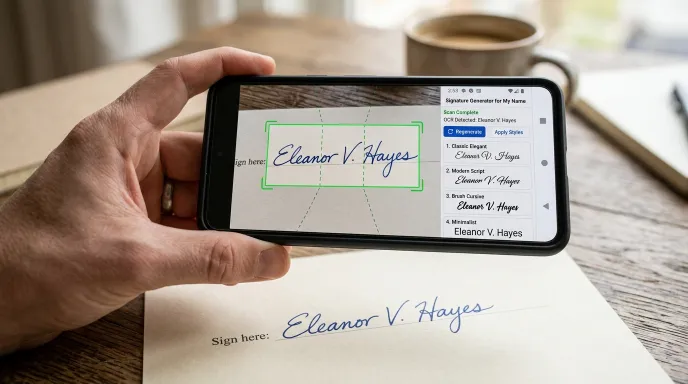
If you already have a signature written on paper, upload a photo of it under the Upload Reference tab. The tool automatically crops the image down to just the signature, extracts the text using OCR, and generates fresh style options based on it.
Once you have results you like, you can save your favorites, copy them, or download them in your preferred file format.
How This Tool Actually Works
125+ Style Categories, Not AI Guesswork
This generator isn’t powered by an AI model dreaming up a signature from scratch. It’s built on 125+ curated style categories, executive slants, calligraphy loops, monogram seals, minimalist underlines, and more, combined with 16 professional calligraphy fonts. Every combination is generated algorithmically and consistently, which means you get a genuinely wide variety of options without the unpredictability that comes with AI-generated results.
Real Translation, Real Regional Styles
One feature that sets this tool apart: it supports real translation into 30 languages using a live translation service, not a guess. Combine that with 18+ regional style flows, including Pakistani Nastaliq, Arabic, Indian, Chinese, Japanese, and more, and you can generate a signature that fits both your name and your cultural or regional preference.
The Draw Pad and Reference Upload Are the Real Deal Too
The canvas pad captures your actual hand movement, not a simulated one. And the reference upload tool genuinely reads the text from your uploaded image using OCR technology, then auto-crops the photo down to just the signature area before generating matching designs.
Key Features and Practical Benefits
- 125+ style categories covering executive, legal, artistic, calligraphy, monogram, and dozens more.
- 8 complexity levels, from an ultra-simple initial stamp to a grandmaster-level ornamental flourish.
- 18+ regional style flows, including Pakistani, Arabic, Indian, Chinese, Japanese, American, British, and more.
- Real translation into 30 languages, so your signature can reflect your name in a different script or language.
- Three creation methods: type to generate, draw by hand, or upload a reference photo.
- Multi-format downloads: PNG, JPG, WEBP, and SVG, plus a full CSV export of everything you generate.
- No signup required to generate, save, or download.
Scenario A: A Professional Signature for Documents and Email
Set the style to Executive or Minimalist Underline, complexity to Medium, and generate a batch of clean, professional-looking options. These work well for resumes, email sign-offs, and general branding use.
Scenario B: A Creative Signature for an Artist or Freelancer
Try the Artistic & Long Tail Flow or Calligraphy Loop categories with a higher complexity level. These produce more expressive, flowing designs that suit a creative portfolio, personal website, or social media bio.
Scenario C: A Signature in Your Native Script or Language
Use the translation feature to convert your name into a different language, then select a matching regional style, like Arabic or Pakistani Nastaliq, for a signature that reflects both your language and cultural style.
Scenario D: Practicing a Consistent Physical Signature
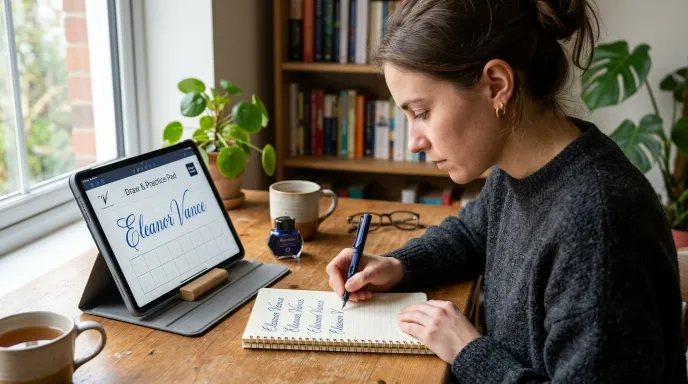
If you want a signature you can actually reproduce by hand consistently on paper, generate a batch in a lower complexity level, pick one you like, then use the Draw & Practice Pad to trace and practice it a few times until it feels natural. This bridges the gap between a designed digital signature and one you can sign the same way every time.
Common Mistakes to Avoid When Choosing a Signature
- Picking the most elaborate style without testing if you can reproduce it. A stunning, high-flourish signature is only useful if you can sign it consistently by hand when needed.
- Ignoring the complexity level filter. Jumping straight to “Extreme” or “Grandmaster” styles often produces designs that look great generated but are hard to replicate manually.
- Not checking how it looks small. A signature that looks great large on screen can lose detail when shrunk down for an email footer or a printed form. Preview it at a smaller size before finalizing.
- Forgetting to try the regional styles. If part of your identity ties to a specific language or region, the 18+ regional flows are worth exploring before settling on a generic Western-style script.
- Downloading in the wrong format for your use case. PNG works fine for most digital use, but if you need to resize your signature often, SVG will hold up better without losing quality.
Tips for Choosing the Right Signature Style
- Match the style to where you’ll use it. A flourish-heavy calligraphy design might look great on a certificate but feel out of place in a quick email sign-off.
- Test a few complexity levels. A simple style is faster to reproduce by hand consistently; a complex one looks more distinctive but takes more practice.
- Try the draw pad if you already have a physical signature. Matching your generated style to your real handwriting keeps things consistent across paper and digital use.
- Download in SVG if you plan to resize it often. Vector format keeps your signature crisp at any size, useful for both large printed materials and small email footers.
Why Choose This Signature Generator vs. Other Tools
| Feature | This Tool | Typical Signature Generators |
|---|---|---|
| Style variety | 125+ categories, 10,000+ combinations | Usually a dozen or so fonts |
| Regional/cultural styles | 18+ regions supported | Rarely offered |
| Real language translation | Yes, 30 languages | Not typically available |
| Creation methods | Type, draw, or upload reference | Usually just one method |
| Download formats | PNG, JPG, WEBP, SVG | Often PNG only |
| Bulk export | Full CSV export available | Not usually offered |
| Signup required | No | Sometimes required |
Common Questions, Answered
Can AI create my signature?
This tool doesn’t use AI to generate your signature. It draws from 125+ curated style categories and real calligraphy fonts, combined algorithmically, plus a genuine hand-drawing pad if you want something fully your own.
How can I generate a signature for my name?
Type your full name into the generator, choose a style category and complexity level, and hit generate. You’ll get a batch of signature options instantly.
How can I create a free handwritten signature?
Use the Draw & Practice Pad tab to sign directly with your mouse, trackpad, or finger, or upload a photo of your handwritten signature and let the tool extract and style it for you.
How much does a signature generator cost?
This tool is completely free to use, including generating, saving, and downloading your signatures, with no signup required.
Can I use my generated signature on official documents?
You can use it as a signature image on informal documents, emails, resumes, and personal branding materials. For legally binding electronic signatures on contracts, you’ll need a dedicated e-signing service designed for that purpose.
What file formats can I download my signature in?
You can download in PNG, JPG, WEBP, or SVG, and export your full batch of generated signatures as a CSV file.
Can I draw my own signature instead of generating one?
Yes. The Draw & Practice Pad lets you sign by hand using your mouse, trackpad, or a touchscreen, with adjustable brush size and color.
How do I make a good signature of my name?
Start by generating a batch of options across a few different style categories, then narrow down to ones that still look clear and consistent when signed quickly. A good signature balances being distinctive with being something you can actually reproduce the same way every time.
What are the different signature styles available?
The generator includes 125+ style categories ranging from executive and legal scripts to artistic calligraphy, monogram seals, and minimalist underlines, combined with 16 professional fonts and 18+ regional style flows.
Final Thoughts: Claim Your Custom Digital Signature Today
A good signature should feel like it actually belongs to you, not like a random font someone else picked. With 125+ style categories, real translation support, and three different ways to create one, this tool gives you enough range to find a signature that genuinely fits, whether that means typing, drawing, or starting from a photo of your own handwriting.
Building the Rest of Your Identity
A signature is usually the last piece people design, not the first. If you’re starting from scratch, the Business Name Generator is the natural first stop. Already have a name and want a logo direction to match your new signature style? The Brand Name to Logo Generator can help with that next.
Disclaimer:
This tool generates signature images for personal, creative, and informal use, such as documents, emails, and branding materials. It does not provide legally binding electronic signature services for contracts. For legal e-signing needs, please use a dedicated e-signature platform.
Written by Waseem Aijaz, WordPress Developer and SEO Specialist. Connect on LinkedIn.
What the Name Idea Lab Community Says
Average Rating: 4.9/5 based on our beta users