

Quick Answer: The most reliable way to check if an Instagram username is available is to open instagram.com/ followed by the handle directly in your browser, or search it inside the app. A live profile means it’s taken, a “user not found” result means it’s very likely open, and the signup or edit-profile screen confirms it for certain.
You’ve found a name you actually like, now the real question is whether it’s free. There’s no official public API listing every open Instagram handle, so the fastest reliable method is still a direct, manual check. Here’s exactly how to do it properly.
How to Check Instagram Username Availability

Step 1: Try the Direct Profile URL
Type instagram.com/yourdesiredname straight into your browser. This is the fastest way to check without opening the app at all.
Step 2: Read the Result Correctly
- A profile loads with content, posts, followers, a bio: the handle is taken.
- A “sorry, this page isn’t available” message appears: the handle is very likely open.
- The page looks broken or half-loaded: try refreshing once, Instagram occasionally caches pages briefly.
Step 3: Confirm It Inside the App
For a completely certain answer, go to Edit Profile in the Instagram app and try entering the username directly. If Instagram lets you save it, it’s genuinely free.
Why Use an Instagram Username Checker Tool vs Direct App Check
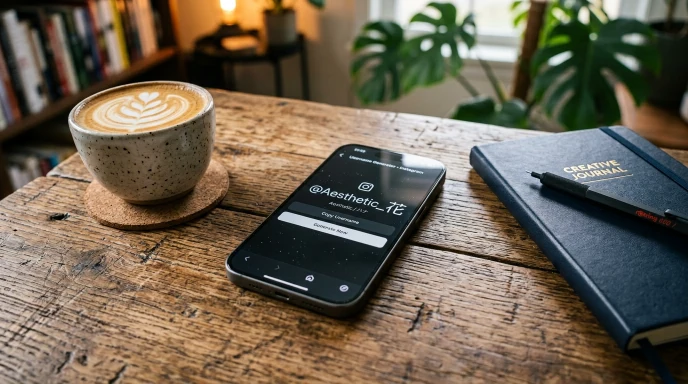
While using a dedicated instagram username checker or direct URL search gives instant feedback, availability on Instagram changes continuously. Using an instagram username availability checker before attempting a full signup saves time by testing multiple ideas in seconds. However, once a tool shows a handle is free, always run a final check directly inside the Instagram app before committing to it.
What to Do the Moment You Confirm a Name Is Free
- Register it right away if it’s your top choice. Don’t sit on a confirmed-free handle overnight.
- Keep two backups ready. If someone else grabs your first pick, you’re not starting from zero.
- Check the same handle on TikTok and other platforms immediately after. Locking in consistency is far easier in one sitting than chasing it later.
Common Mistakes People Make Checking Availability
- Assuming a generated suggestion is automatically free. Generators build combinations, they don’t guarantee the result is unclaimed.
- Waiting too long after confirming availability. Popular-sounding names can disappear within hours.
- Only checking on Instagram. A name might be open there but taken everywhere else, which hurts cross-platform consistency.
- Confusing an inactive account with an available one. An account can exist with zero posts and still hold the username permanently.
Instagram’s 14-Day Hold Rule and Banned Accounts
When checking username availability, you might run into handles that appear empty or unavailable due to Instagram’s account policies:

- The 14-Day Reservation Window: If an account changes its handle, Instagram holds the old username for 14 days. During this period, only the original owner can reclaim it.
- Banned or Suspended Usernames: If an account was deleted or permanently banned for violating guidelines, Instagram often locks that username forever. Even if the profile shows “User Not Found,” the handle might remain blocked for new signups.
- Inactive Accounts: Instagram does not automatically release handles from inactive users just because they have zero posts or haven’t logged in for years.
Instagram Username Rules Worth Knowing
| Rule | Detail |
|---|---|
| Length | Up to 30 characters |
| Allowed characters | Letters, numbers, periods, underscores |
| Spaces | Not allowed |
| Case sensitivity | Not case-sensitive, JohnDoe and johndoe are the same |
| Username changes | Allowed, but frequent changes can trigger a temporary cooldown |
Benefits of Checking the Right Way
- Saves a wasted signup attempt. Nothing worse than filling out a profile just to hit “username unavailable.”
- Protects your top pick. Acting fast on a confirmed handle reduces the risk of losing it to someone else.
- Keeps your branding consistent. Checking across platforms in one sitting means fewer renames later.
What to Do If Your Desired Username Is Taken?
If your top pick isn’t available after running your instagram username availability check, use these quick variations to secure a clean alternative:
- Add Structure Words: Attach clean prefixes or suffixes like the, real, iam, studio, official, or hq.
- Use Minimal Punctuation: Separate words with a single period (.) or underscore (_) (e.g.,
brand.hqinstead ofbrandhq). - Keep It Modular: Make sure your chosen variation can be replicated across TikTok, X, and YouTube to maintain consistent cross-platform branding.
The Ultimate Checklist Before You Register
- [ ] Checked the handle directly at instagram.com/yourhandle
- [ ] Confirmed it inside the app’s Edit Profile screen
- [ ] Have two backup names ready just in case
- [ ] Checked the same or a close variation on TikTok and other platforms
- [ ] Registered immediately after confirming, not “later today”
Frequently Asked Questions
How do I check if an Instagram username is available? Open instagram.com/ followed by the handle in your browser, or search it directly in the app. A live profile means taken, a “not found” result means it’s likely free.
Is there a tool that instantly confirms availability? Not officially from Instagram. Third-party checkers exist, but a direct check at instagram.com/ remains the most accurate, since it reflects Instagram’s real-time data.
Why does a username show as taken when the profile looks empty? An account can exist with zero posts and still permanently hold that username. An empty-looking profile is still a claimed one.
How long after someone deletes their account does the username free up? Instagram doesn’t publish an exact timeline, and it varies. If you’re watching a specific handle, checking back periodically is the only reliable approach.
Can I reserve a username without creating a full profile? No. The only way to claim a username is to complete account signup or a username change with that specific handle.
Final Thoughts on Checking Instagram Handles
Checking Instagram username availability doesn’t require a complicated tool, a direct visit to instagram.com/yourhandle is still the fastest and most accurate method. Once you’ve confirmed a name is free, register it right away. If you’re still narrowing down options, the instagram name generator on Name Idea Lab builds a shortlist for you and links straight to each profile for a quick check. If you’re setting up TikTok too, the tiktok username generator works the same way, and you can browse every social media name generator on Name Idea Lab’s main hub for other platforms.
Disclaimer: This guide is for informational purposes only. Instagram is not affiliated with or endorsing this content, and username availability changes constantly, so always verify directly on the platform.